
Mining Empire Controls
Mining Empire controls for Roblox on PC and mobile: camera, mining, HUD, auto mine, and how to avoid misclicking the rebirth shop.
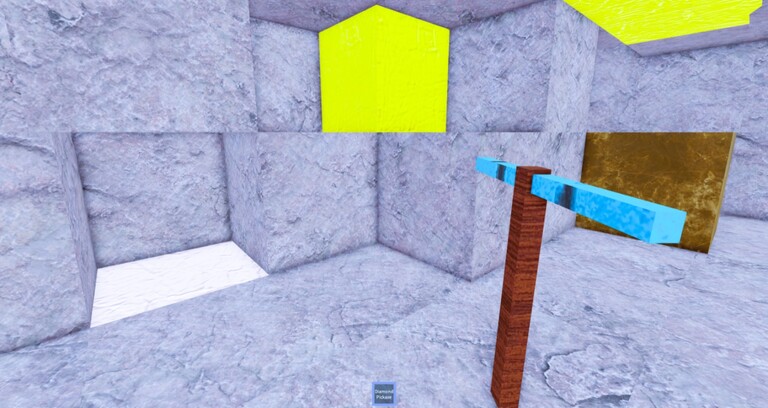
Mining Empire uses standard Roblox character movement with a first-person mine camera. The important part is not WASD. The important part is not opening the rebirth shop while auto mine is running, and not letting a mobile jump button eat the clan panel. This page is that hygiene. Gameplay loop sits in how to play.
PC
| Action | Typical control | Wiki note |
|---|---|---|
| Move | WASD | Strafe while you line up a colored face |
| Look | Mouse | Lock the camera before auto mine |
| Mine | Click / hold | Official auto mine replaces the hold after April 2026 |
| Jump | Space | Rarely needed in a cavern; do not bind panic fingers here |
| HUD | Mouse on side buttons | Shop, clans, rebirth shop, maybe codes |
Shift-lock is optional. Some miners like it to keep the head on a vein. If you use it, remember that a clan invite popup can steal the mouse. Unlock, click, relock. Shift-lock plus auto mine plus a misaligned cursor is how people mine the floor for ten minutes and wonder why gems died.
Mobile
Thumb left to move, thumb right to look, center of the screen to mine until you enable auto mine. Rotate to landscape if the clan or rebirth buttons sit under the jump control. The Join A Clan flow on this page is easy to miss in portrait. After you enable auto mine, rest the look thumb so you do not drift into unbreakable stone.
Dangerous misclicks
- Buying a 500-gem ticket when you meant to open tools.
- Leaving a clan while grabbing the leaderboard.
- Pasting a code from the wrong Roblox game into a search box.
- Enabling auto mine aimed at the sky after a camera bump.
If you run scripts, keep the executor UI off the mine buttons. Overlay collisions are a classic way to toggle fly and get stuck in a wall. For everyone else, official auto mine plus a steady camera is the whole control skill. Practice it on spawn stone for thirty seconds, then go to a paying layer and do it for real.
Frequently asked questions
Quick answers to the questions miners actually type.
How do you mine on mobile in Mining Empire?
Aim with the right thumb, mine with a tap or the official auto mine toggle, and use landscape if HUD buttons sit under jump.
What is the PC mine button?
Standard Roblox click. After April 2026 you can replace the hold with the official auto mine feature.
Why does auto mine hit the wrong blocks?
Camera drift. Lock look on PC, rest the look thumb on mobile, then enable the toggle.